Chrome Extension — Official Documentation & Privacy Policy
Auto Rename & Organize Downloads is a powerful Chrome extension that automatically renames your downloaded files and organizes them into smart folder structures — all based on customizable rules you define.
Whether you're downloading images for a design project, collecting documents for research, or saving files from multiple websites — this extension ensures every file is named consistently and saved exactly where you want it.
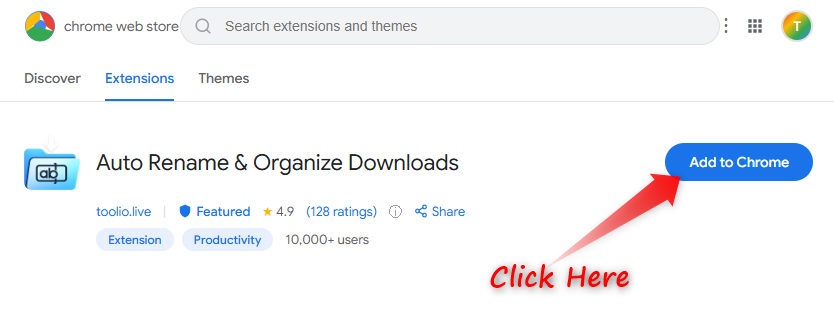
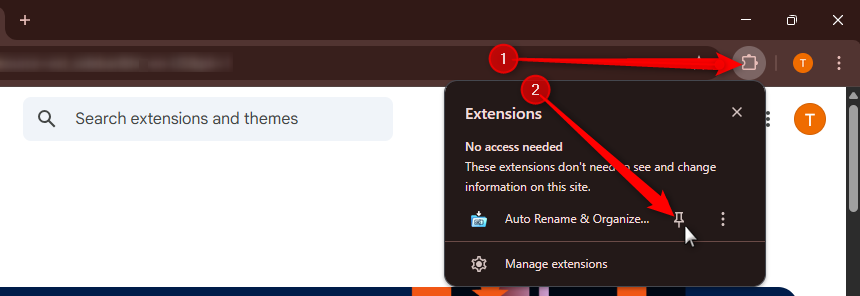
After installing, pin the extension so it's always visible in your browser toolbar:
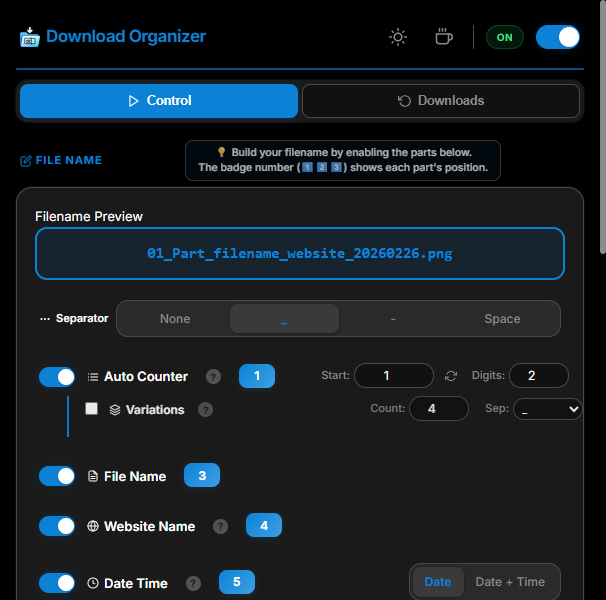
Click the moon icon (🌙) in the top-right corner to switch between:
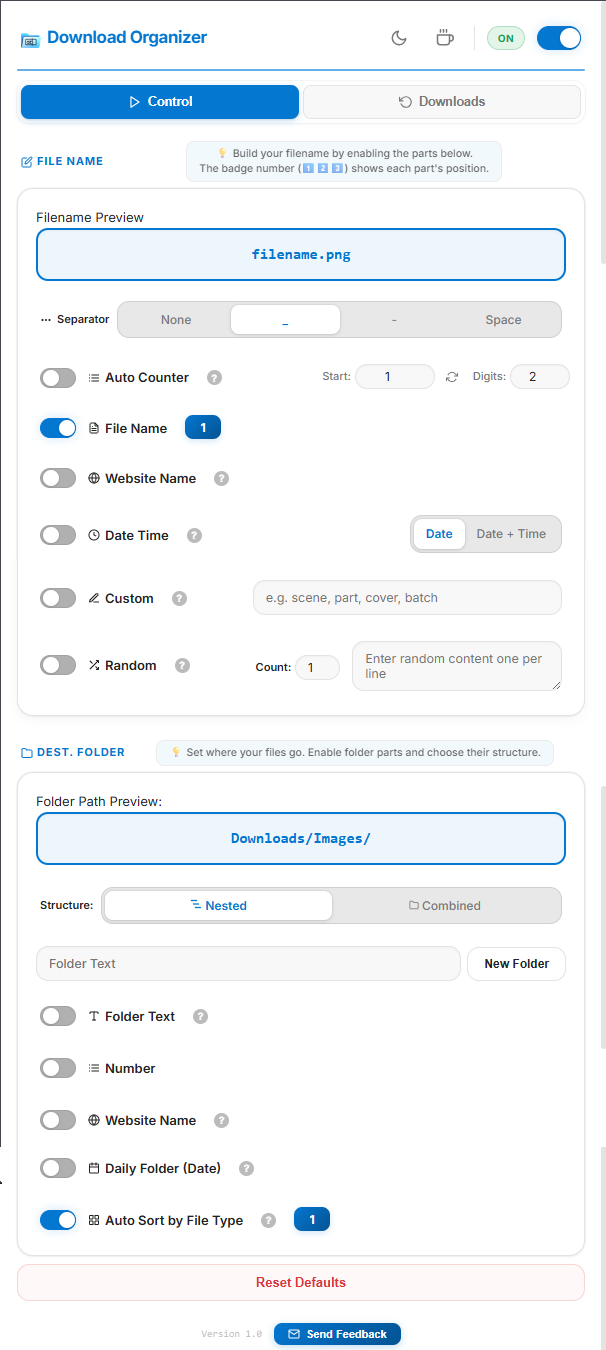
When you first open the extension, you'll see the main Control panel with two sections:
The extension is enabled by default. You can toggle it ON/OFF using the master switch in the top-right corner. When OFF, the status badge shows "OFF" and downloads behave normally without any renaming.
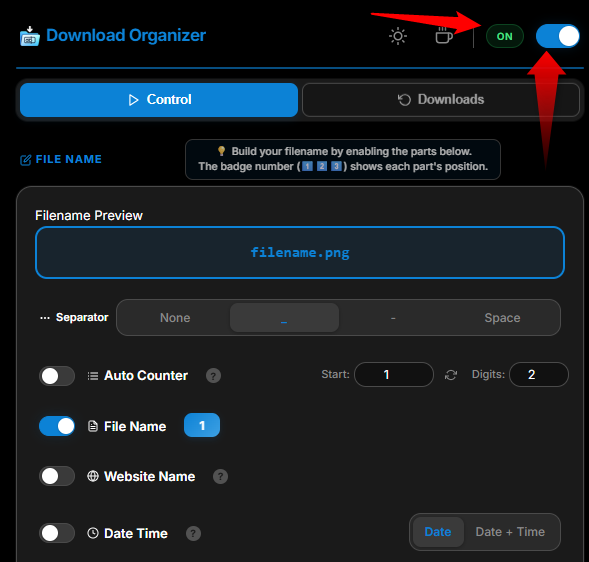
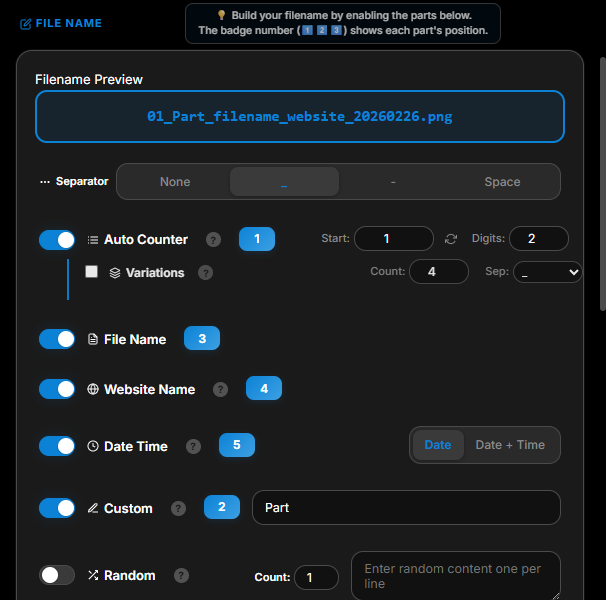
This section lets you build custom filenames by enabling different parts. Each active part gets a badge number (①②③) showing its position in the final filename. At the top, you'll see a live "Filename Preview" that updates instantly as you change settings.
Choose how filename parts are joined together:
| Option | Example |
|---|---|
| _ (underscore) | 01_google_photo.jpg |
| - (hyphen) | 01-google-photo.jpg |
| Space | 01 google photo.jpg |
| None | 01googlephoto.jpg |
Adds a sequential number to each downloaded file (01, 02, 03...).
Keeps the original filename as part of the new name.
Adds the source website's domain name to the filename.
Appends the current date (and optionally time) to the filename.
| Mode | Example |
|---|---|
| Date only | 01_2025-02-26_photo.jpg |
| Date + Time | 01_2025-02-26_143052_photo.jpg |
Adds any fixed text you type to every filename.
Adds a random item from a list you provide. Enter one word per line.
You can also set a Count to pick multiple random items at once.
This section controls where your downloads are saved — inside the default Downloads folder.
Choose how folder parts combine:
| Mode | Example |
|---|---|
| Nested | Downloads / Images / pinterest / |
| Combined | Downloads / Images-pinterest / |
When using Combined mode, you can choose a separator (-, _, Space, or None).
Type a specific folder name. Downloads go into this exact folder.
Click "New Folder" to create a fresh folder with an auto-incremented name:
Adds a number to the folder path (useful for batch organizing).
Automatically creates a folder based on the download source website.
Creates a folder named with the current date.
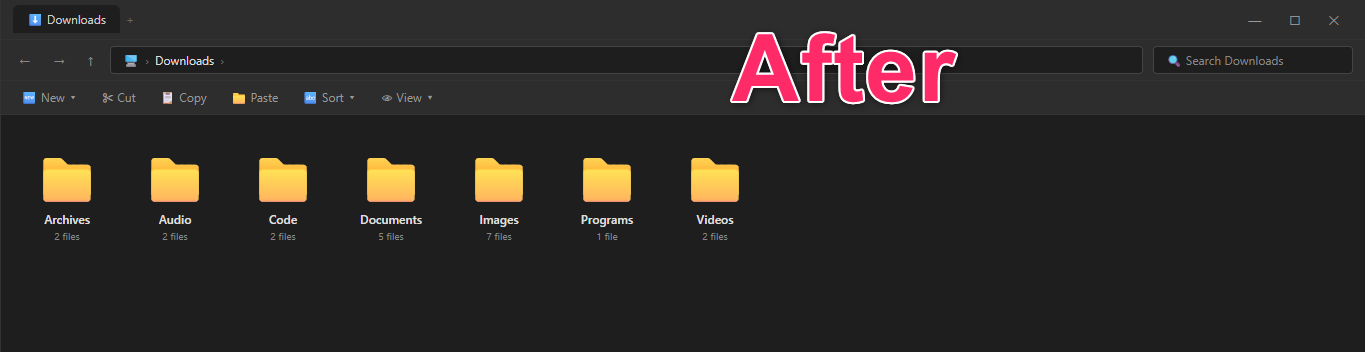
Automatically sorts downloads into folders like:
| Folder | File Types |
|---|---|
| 📁 Images | png, jpg, gif, webp, svg, psd, heic... |
| 📁 Videos | mp4, mkv, avi, mov, webm... |
| 📁 Audio | mp3, wav, flac, aac, ogg... |
| 📁 Documents | pdf, doc, txt, xlsx, pptx, csv... |
| 📁 Archives | zip, rar, 7z, tar, gz... |
| 📁 Code | js, py, html, css, json, xml... |
| 📁 Programs | exe, msi, apk, deb... |
| 📁 Others | Any file type not listed above |
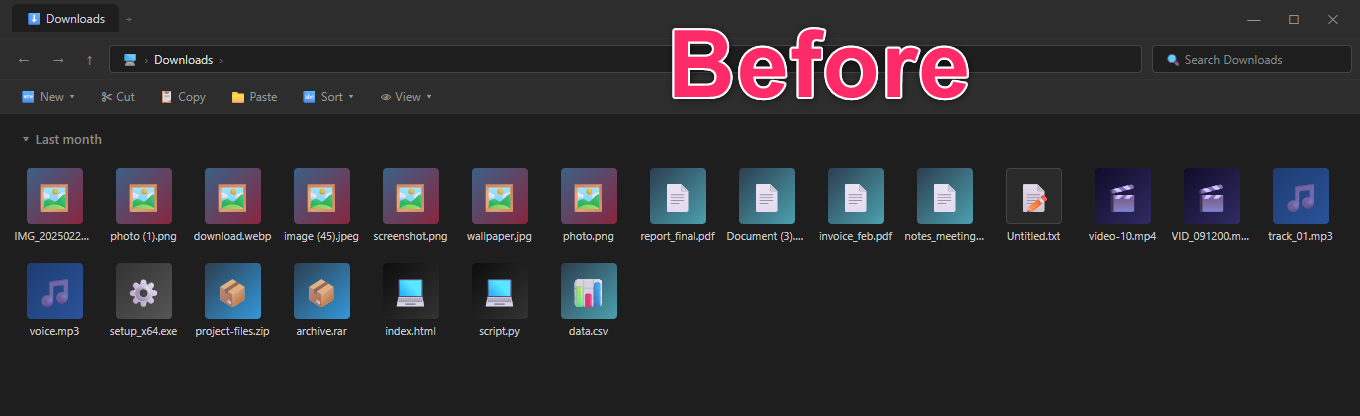
❌ Before — Messy Downloads Folder:
✅ After — Auto-Organized with the Extension:
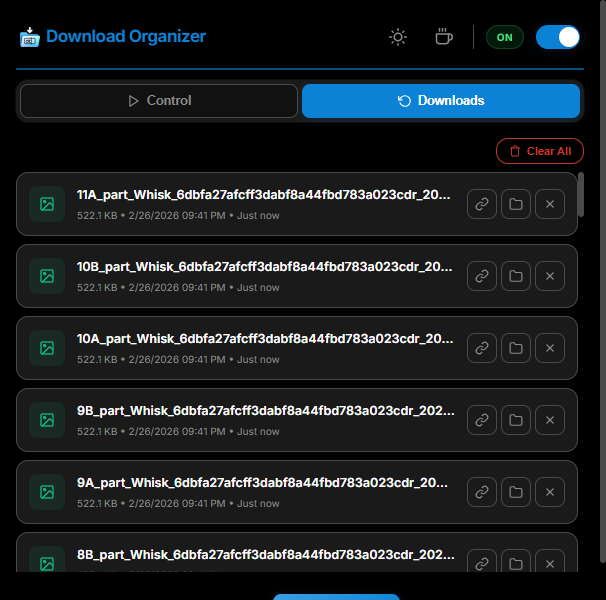
Click the "Downloads" tab at the top to view your recent downloads. For each file you can:
Found a bug? Have a suggestion? Click the "Feedback" button at the bottom of the extension to send us a message. We read every message!
Q: Does this extension work with all download types?
A: Yes! It works with any file type downloaded through Chrome — images, documents, videos, programs, and more.
Q: Can I temporarily disable the extension?
A: Yes. Just toggle the master switch OFF in the extension popup. Your settings are preserved for when you turn it back on.
Q: Where are my renamed files saved?
A: All files are saved inside your default Chrome Downloads folder, organized into subfolders based on your settings.
Q: Does this extension collect my personal data?
A: No. See our Privacy Policy below for full details.
Q: Does this extension work offline?
A: Yes! All renaming and organizing happens locally on your browser. No internet connection is required for the core functionality.
Last updated: February 26, 2025
Auto Rename & Organize Downloads does NOT collect, store, or transmit any personal data. Specifically:
The extension requests the following Chrome permissions for functional purposes only:
| Permission | Purpose |
|---|---|
| downloads | Required to intercept and rename files as they are downloaded. This is the core functionality. |
| downloads.open | Required to provide the "Show in Folder" feature in the Downloads History tab. |
| storage | Required to save your settings (rename rules, folder preferences, theme) locally on your device. This data never leaves your browser. |
The extension includes an optional feedback form. If you choose to send feedback, your name, email, and message are sent to the developer via EmailJS (a third-party email service). This is the ONLY external communication the extension makes, and it only happens when you explicitly click "Send Message." No data is sent automatically.
All settings and preferences are stored locally on your device using Chrome's built-in storage API
(chrome.storage.local). This data:
We may update this privacy policy from time to time. Any changes will be reflected on this page with an updated "Last updated" date.
If you have questions about this privacy policy, please use the Feedback button inside the extension to reach us.